How to Bulk upload posts on Reddit?
SocialBu allows you to bulk upload posts to Reddit, making it easier to schedule multiple posts at once. Follow these simple steps to get started:
Written By Ghina Rehman
Last updated 5 months ago
Connect Your Reddit Account
If you haven't connected your Reddit account yet, go to Accounts and link it.
Go to Bulk Import
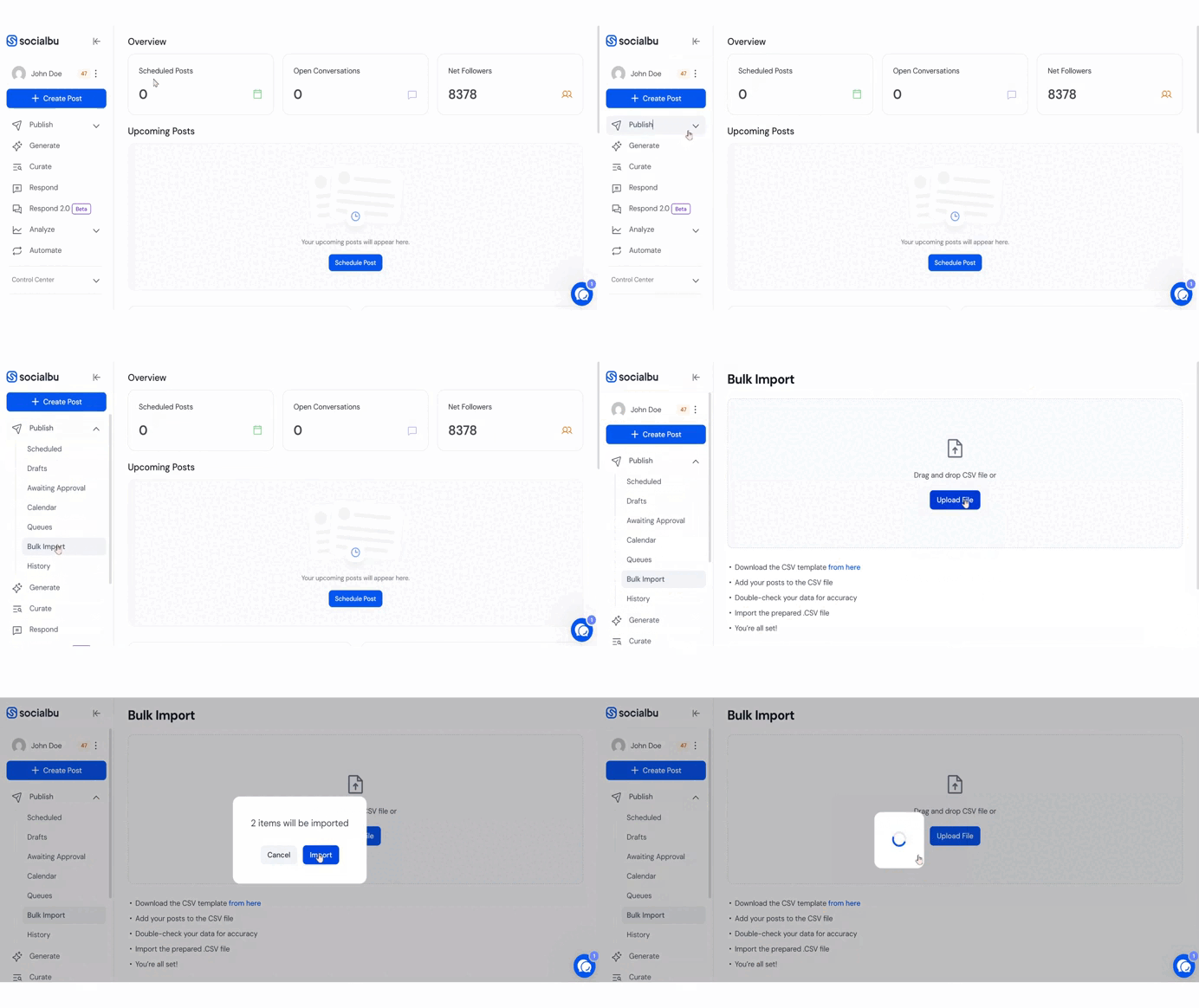
Navigate to Publish → Bulk Import in the SocialBu dashboard.
Download the CSV Template
Download the provided CSV template to ensure correct formatting.
Fill in Your Data
Enter your post details into the CSV.
Make sure to follow the exact format to avoid errors.
You can add additional post options in new columns like First comment, Title etc.
If the post is not related to a specific subreddit, write “Reddit” in the subreddit column.

Upload Your CSV File
After completing your CSV file, upload it back in the Bulk Import section.
A pop-up will display the posts detected in your CSV. Click “Import” to confirm.
Check Your Scheduled Posts
View your imported Reddit posts under the “Scheduled” tab in Publish.
FAQs
What should I write if my post is not for a specific subreddit?
Simply write “Reddit” in the subreddit column.
What if my CSV upload fails?
Verify that your CSV file strictly follows the template format, especially date formats and required columns.
Where can I find my imported Reddit posts?
Check under Publish → Scheduled to review all successfully imported posts.
Need Further Assistance?
If you have any other concerns or queries, email us at support@socialbu.com 📩