How to Bulk upload posts on Tiktok?
Bulk uploading posts to TikTok via SocialBu is a great way to save time and streamline your content planning. Follow these simple steps to schedule your TikTok posts in bulk.
Written By Ghina Rehman
Last updated 5 months ago
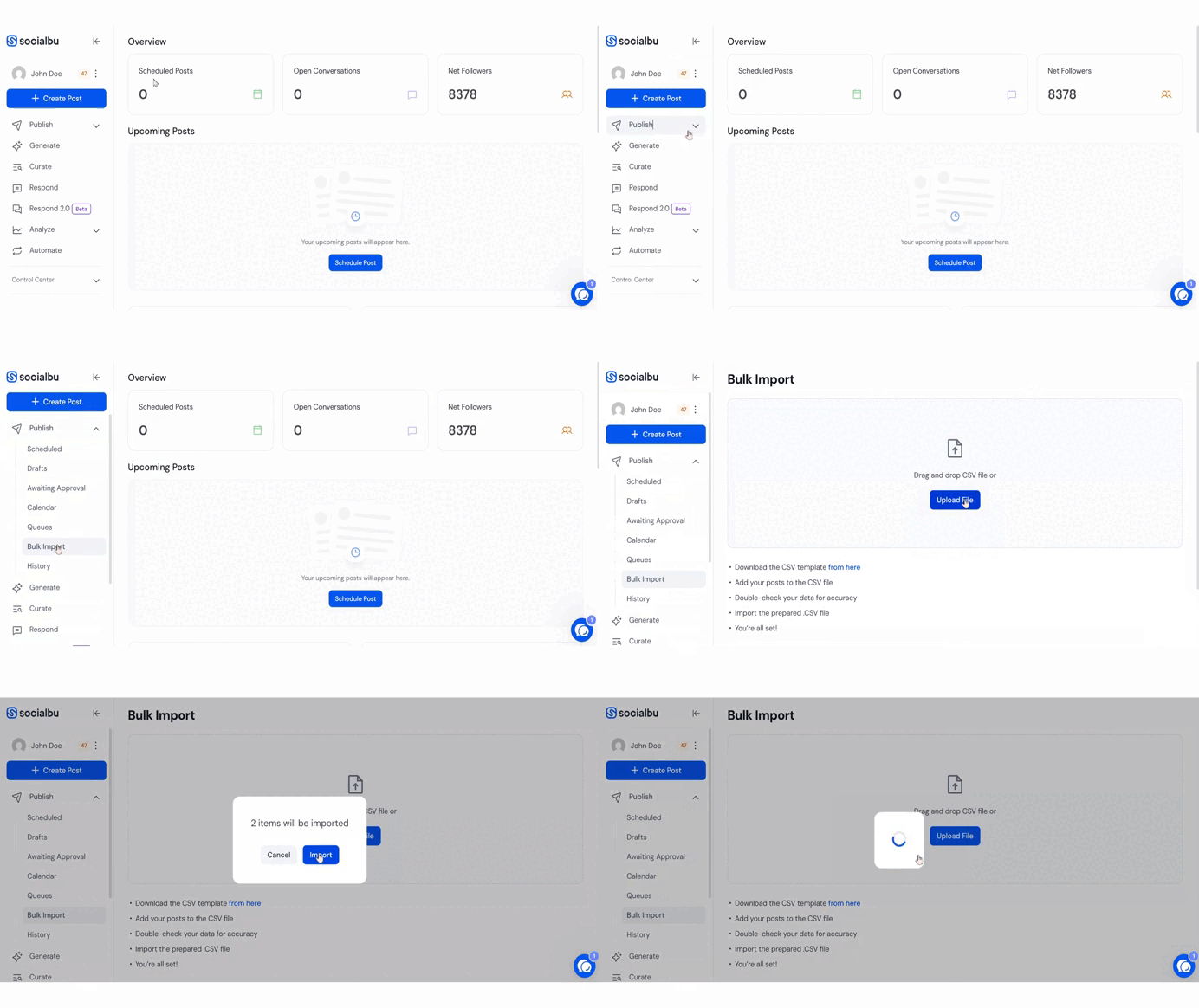
Go to Bulk Import in the Publish Feature
Navigate to the Publish tab and click on Bulk Import. You can use the provided button to download the sample CSV file. The template includes all the necessary columns and format requirements.
Fill in Your Post Data
Add your TikTok post details, including captions, media links, and publish times.
⚠️Note: Do not change the column headers or structure to avoid upload errors.

⚠️Note: Adding a "privacy status" column is necessary for Tiktok
Upload the Completed CSV File
Once your file is filled and saved, upload it back into SocialBu from the same Bulk Import section.
A confirmation popup will appear showing your posts.
Click “Import” to schedule all the posts successfully.
Check out the detailed video here.
FAQs
Can I upload video content in bulk for TikTok?
Yes, ensure your media URLs are direct links to supported video files.
What happens if there’s an error in the CSV file?
SocialBu will notify you of any formatting issues so you can fix them before importing.
Can I edit the posts after importing them?
Yes, you can go to the Scheduled Posts section to make edits individually.
Is there a limit to how many TikTok posts I can import at once?
There's no strict limit. It depends on the plan you have. In the standard plan, you can upload 200 posts; in the super plan, you can upload 500 posts; and in the supreme plan, you can upload 2000 posts.
Need Further Assistance?
If you have any other concerns or queries, email us at support@socialbu.com 📩