How to use SocialBu via ✳Claude (MCP Integration)
You can now use SocialBu directly from Claude, Openclaw and more AI agentic tools without opening a new tab.
Written By Aakash Luqman
Last updated 5 months ago
We built a Model Context Protocol (MCP) integration that connects SocialBu to Claude.
Once set up, you can manage your entire social media workflow from inside a Claude conversation, like,
Schedule posts to any connected account like LinkedIn, Twitter/X, Instagram, Facebook, and Threads
Check which posts are performing well and pull account-level stats
Toggle automations on/off and check their logs
Save drafts or drop content into your publishing queue
How to set it up?
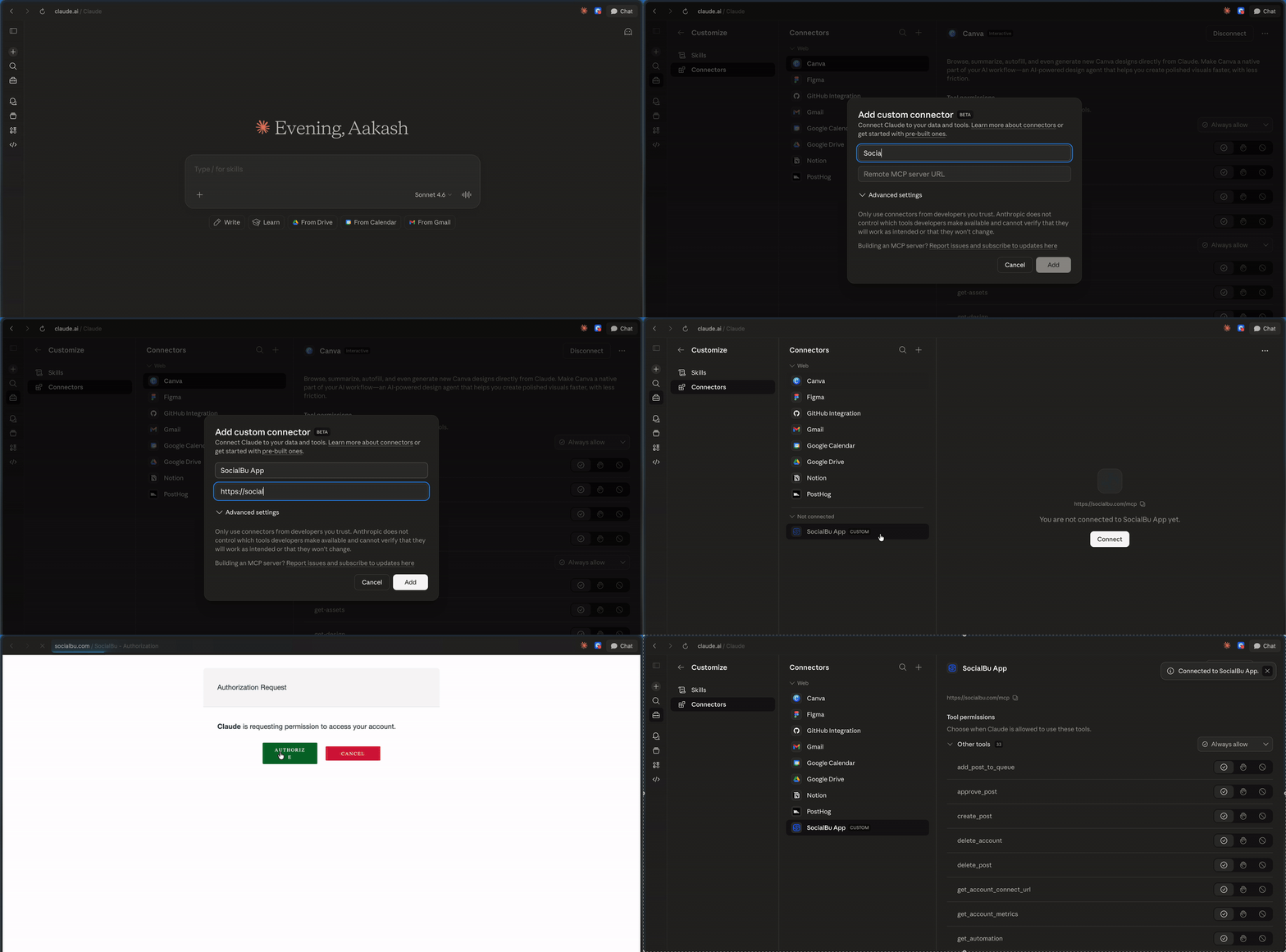
Open the Customize panel and Connectors tab.
Clicking the + button to add a custom connector
Add a Name and https://socialbu.com/mcp as the MCP server URL and hit Add.
Once, SocialBu shows as a connector. Click Connect and Authorize.
If you run into anything, just email support@socialbu.com