Setting up an Automated Action when "Post is Published by an Account"
SocialBu enables you to automate actions when a new post is published by a specific account. This automation is useful for notifying your audience, cross-posting, sending internal alerts, and more, all without manual effort.
Written By Farwa kazim
Last updated 4 months ago
Step 1: Go to the Automation Section
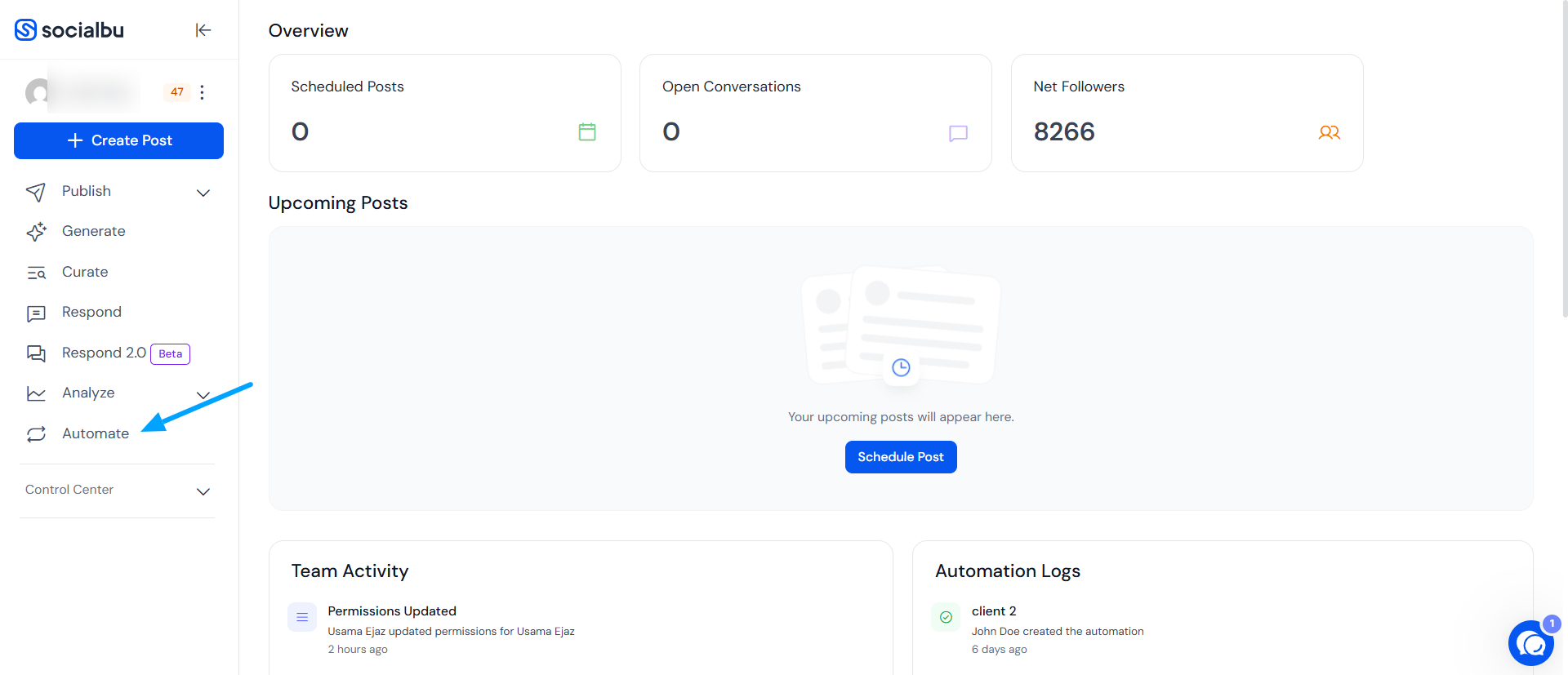
Log in to your SocialBu account and navigate to the “Automate” tab in the left-hand menu.
Step 2: Create New Automation
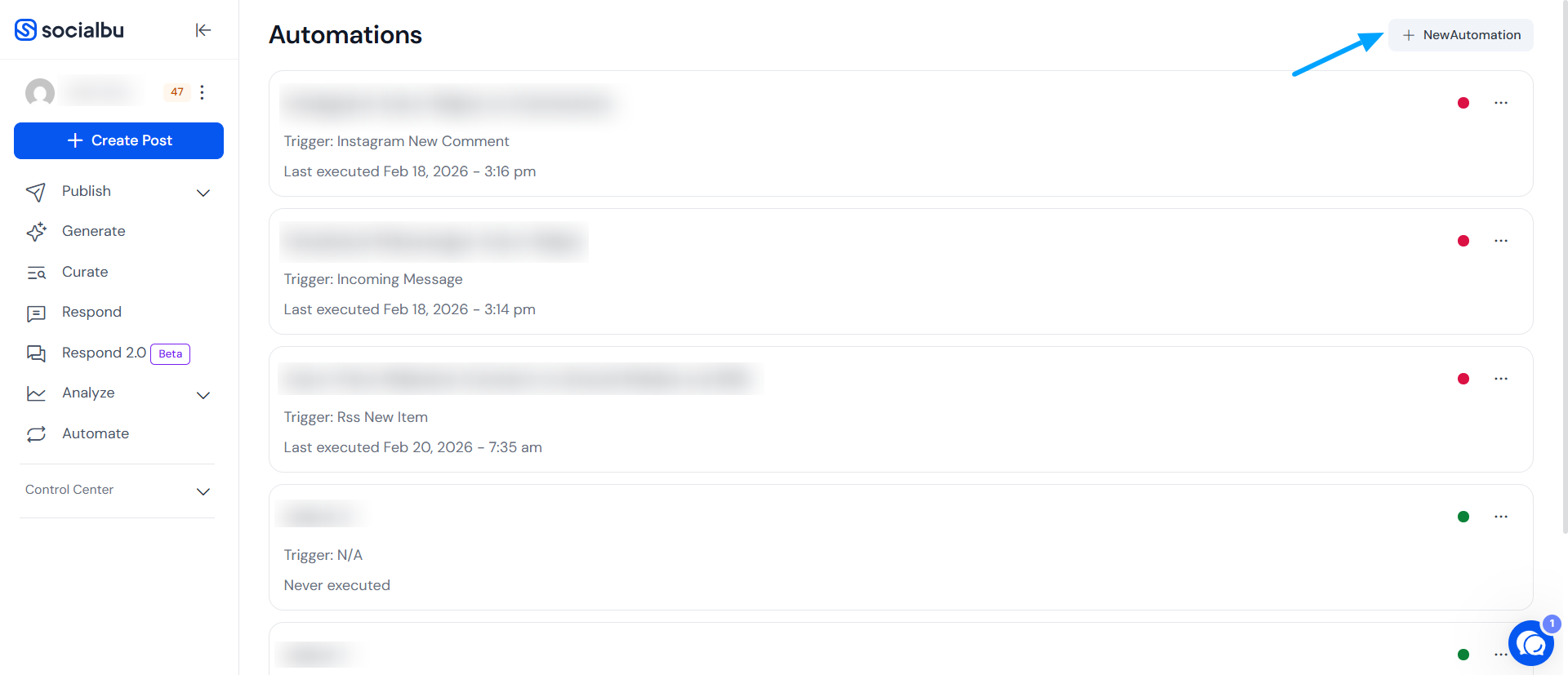
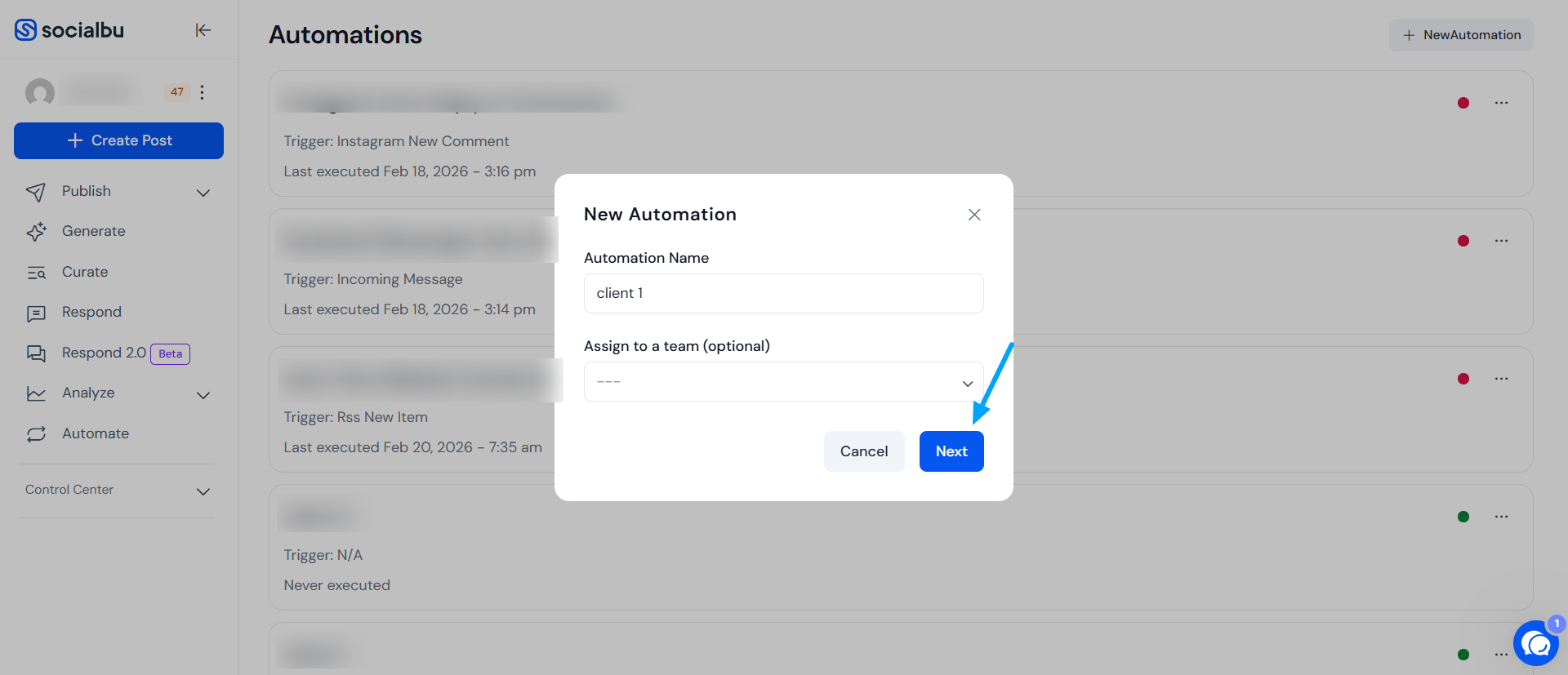
Click on “+ New Automation” in the top-right corner of your screen, then enter a name for your automation to get started.
Step 4: Set the Trigger
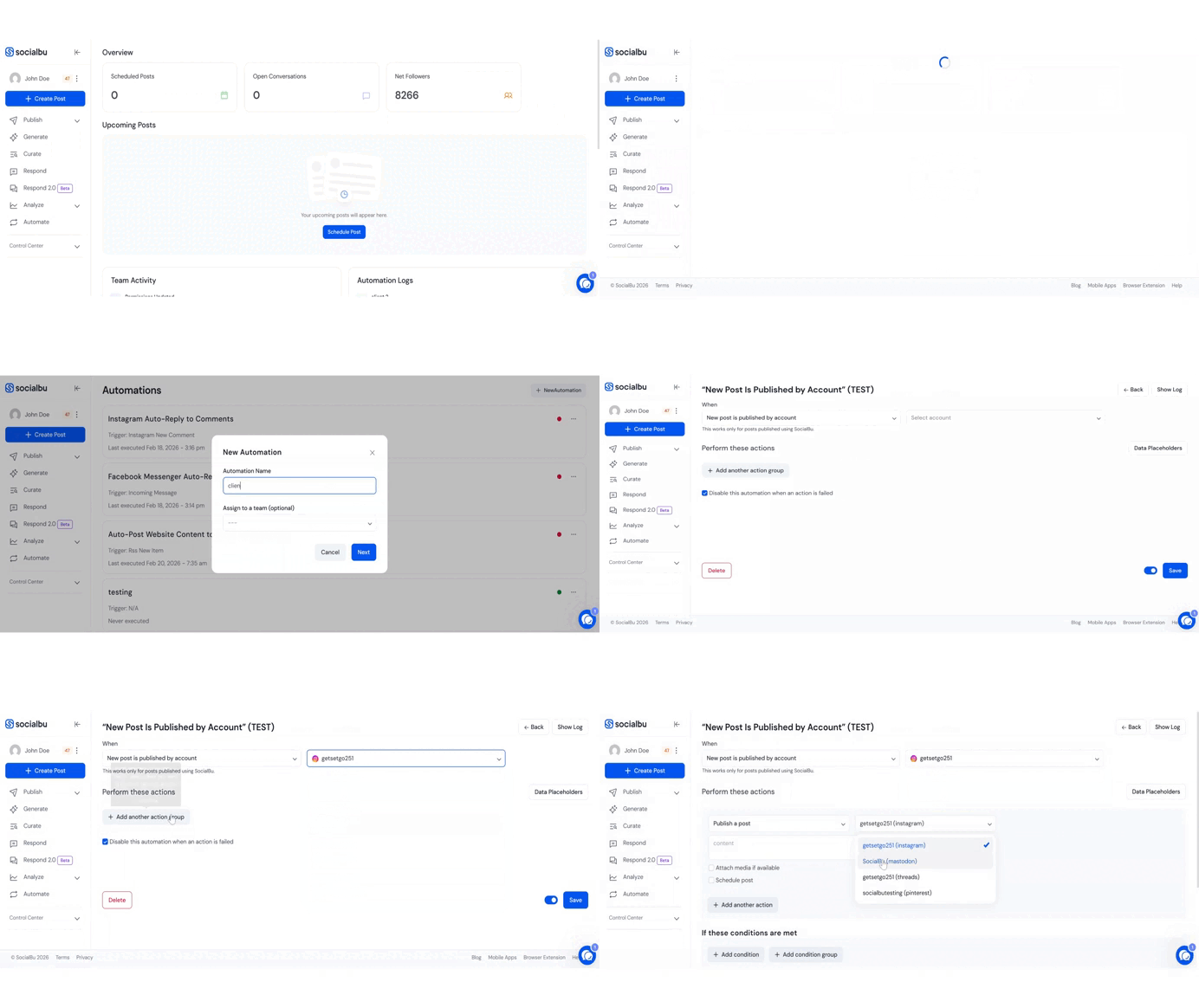
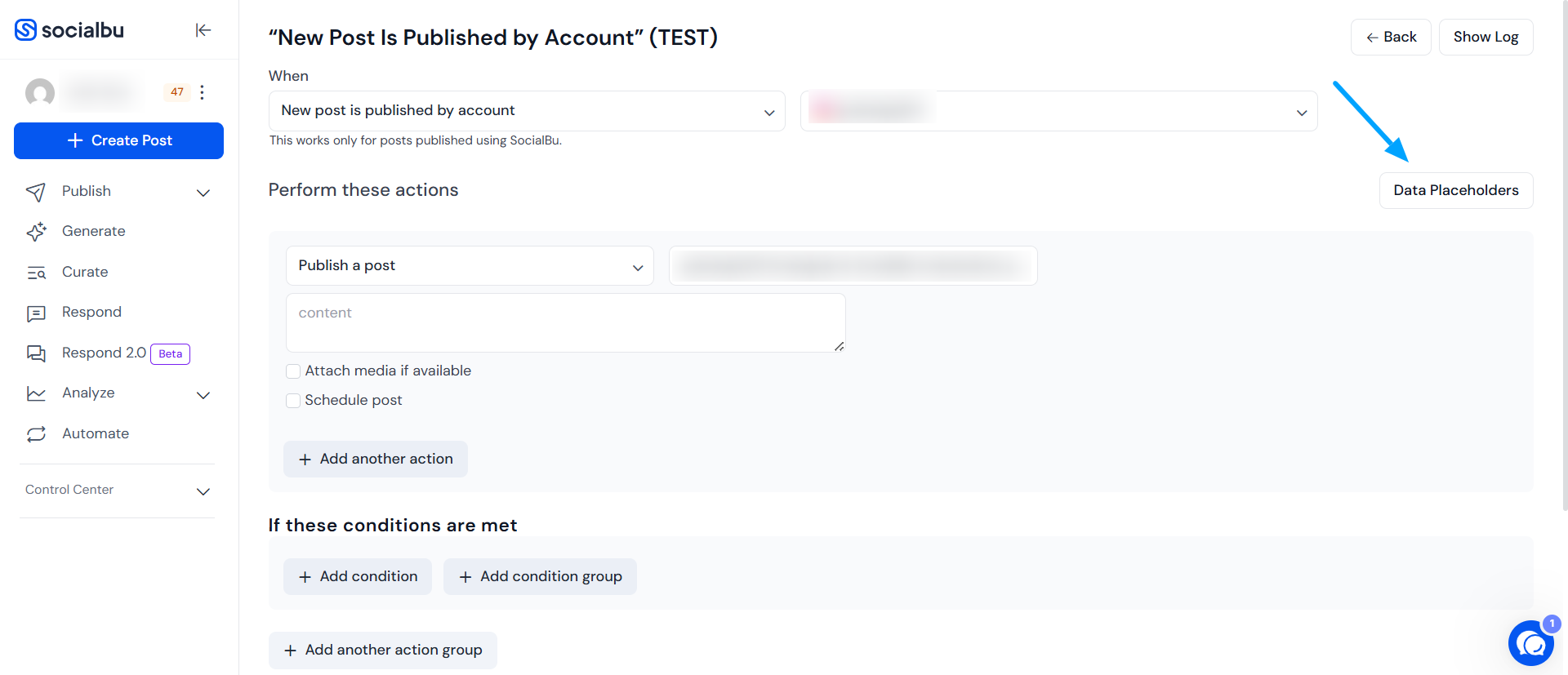
From the “When” dropdown, select the trigger: “New Post Is Published by Account”. This will trigger the automation whenever the selected account publishes a new post.
Step 5: Select the Account
Choose one or more social media accounts for which you want this automation to apply.
Step 6: Choose an Action
You can now define what action should take place when the automation is triggered. SocialBu offers multiple options:
Send an email — Useful for alerting teams or stakeholders.
Publish a post — Automatically post to other social channels.
Add post to queue — Recycle content later through your queue settings.
Send HTTP Request — For custom integrations with external tools or services.
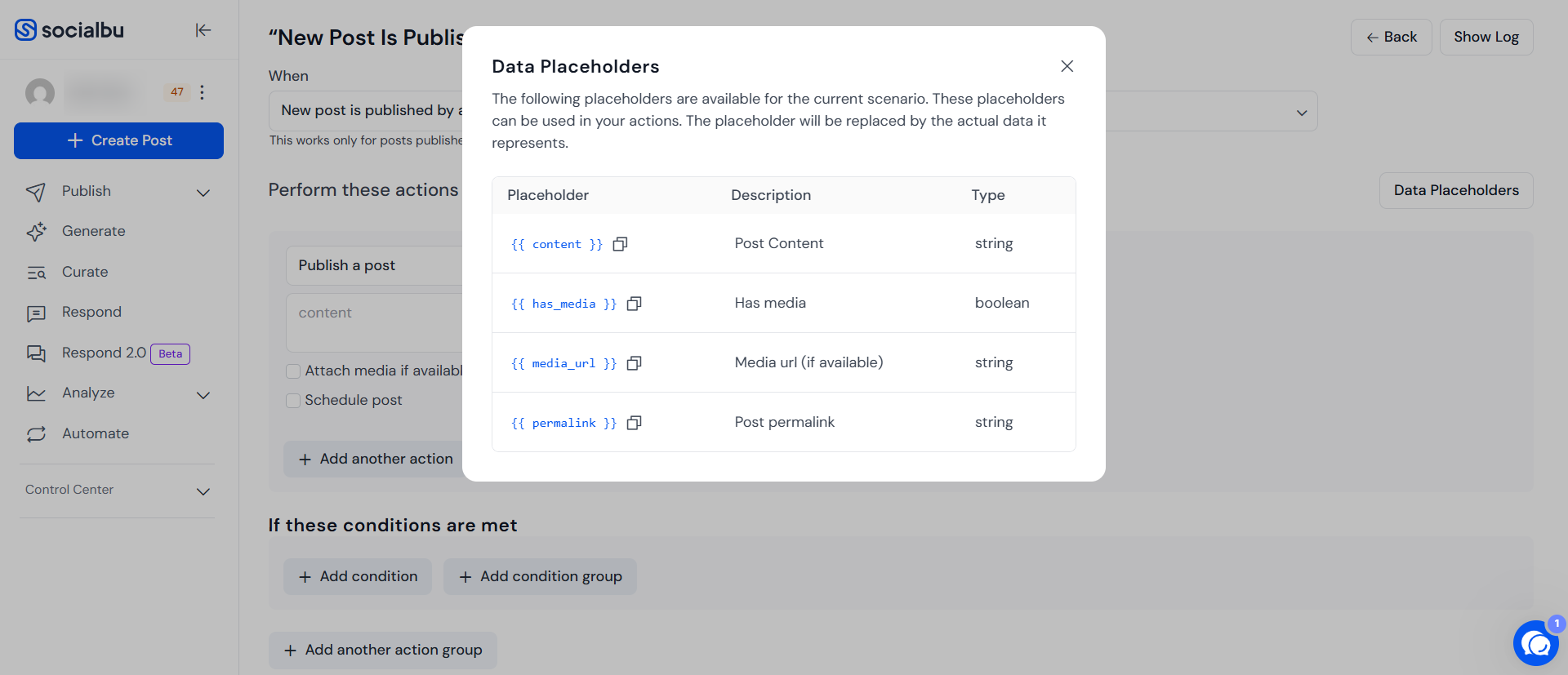
Step 7: Use Data Placeholders (Optional)
Add placeholders in your action content, to dynamically include real-time data. You just need to copy and paste the placeholder in content Box.
Step 8: Add Conditions (Optional)
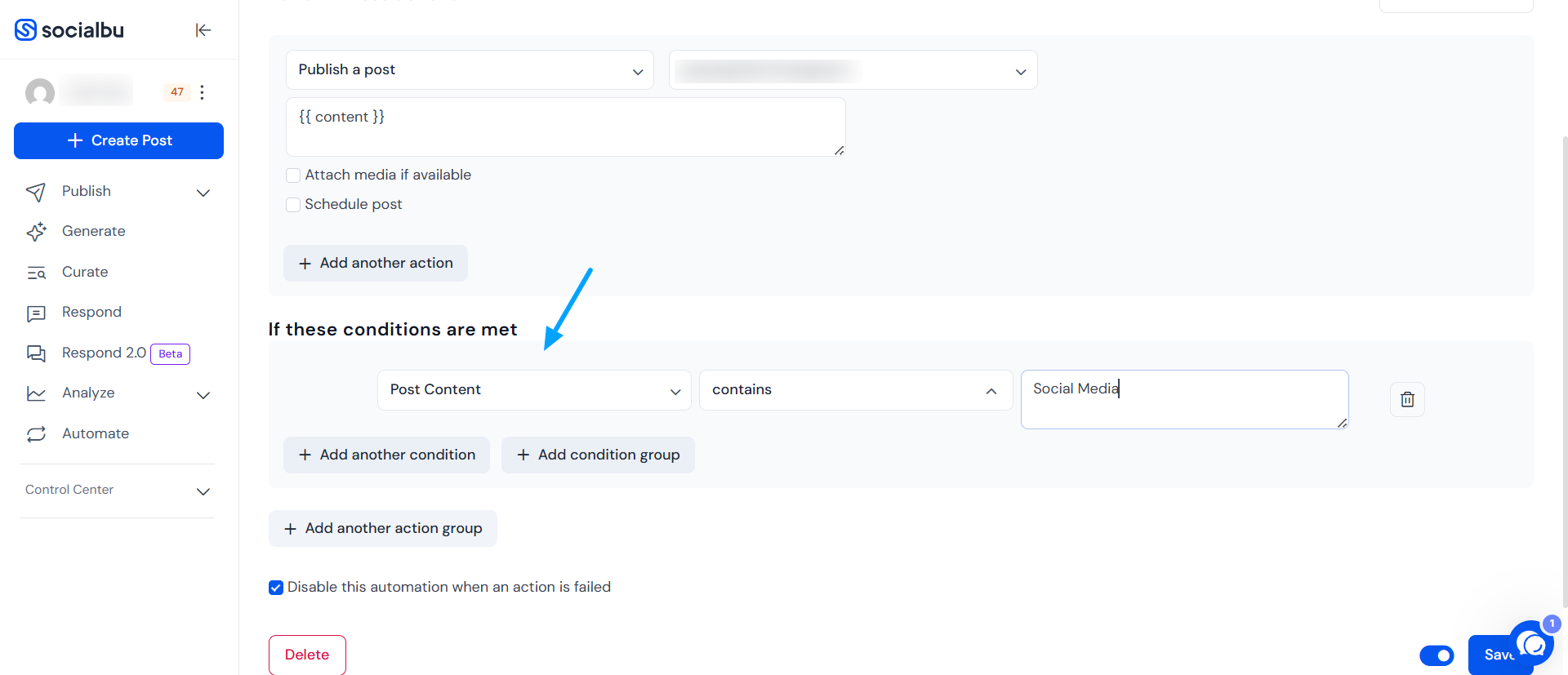
To make your automation more specific, you can add conditions. For example:
Only trigger if the post includes a specific keyword.
Only run the automation if the post was published on a certain day.
You can add single or grouped conditions based on your scenario.
Step 9: Use Action Groups (Advanced)
You can also create multiple action groups. Each action group can have its own actions and conditions. These groups work independently, allowing you to create more complex automations.
FAQs
Can I trigger this automation on multiple platforms?
Yes, you can select multiple social accounts (e.g., Facebook, LinkedIn) when setting up the automation.
Will this automation work in real-time?
Yes. Once triggered, the defined action(s) will execute immediately.
What happens if no conditions are set?
If you don’t set any conditions, the actions will trigger for every post published by the selected account.
Need further Assistance?
If you have any other concerns or queries, email us at support@socialbu.com 📩