Understanding "Network Performance" in Analyze
The Network Performance section under the Analyze tab in SocialBu provides a detailed view of how your connected social media networks are performing. It offers platform-specific insights to help you better understand engagement trends, audience demographics, and content impact.
Written By Ghina Rehman
Last updated 2 months ago
To begin, select the platform you want to analyze. You can also filter by specific accounts and a custom date range to get more accurate insights.
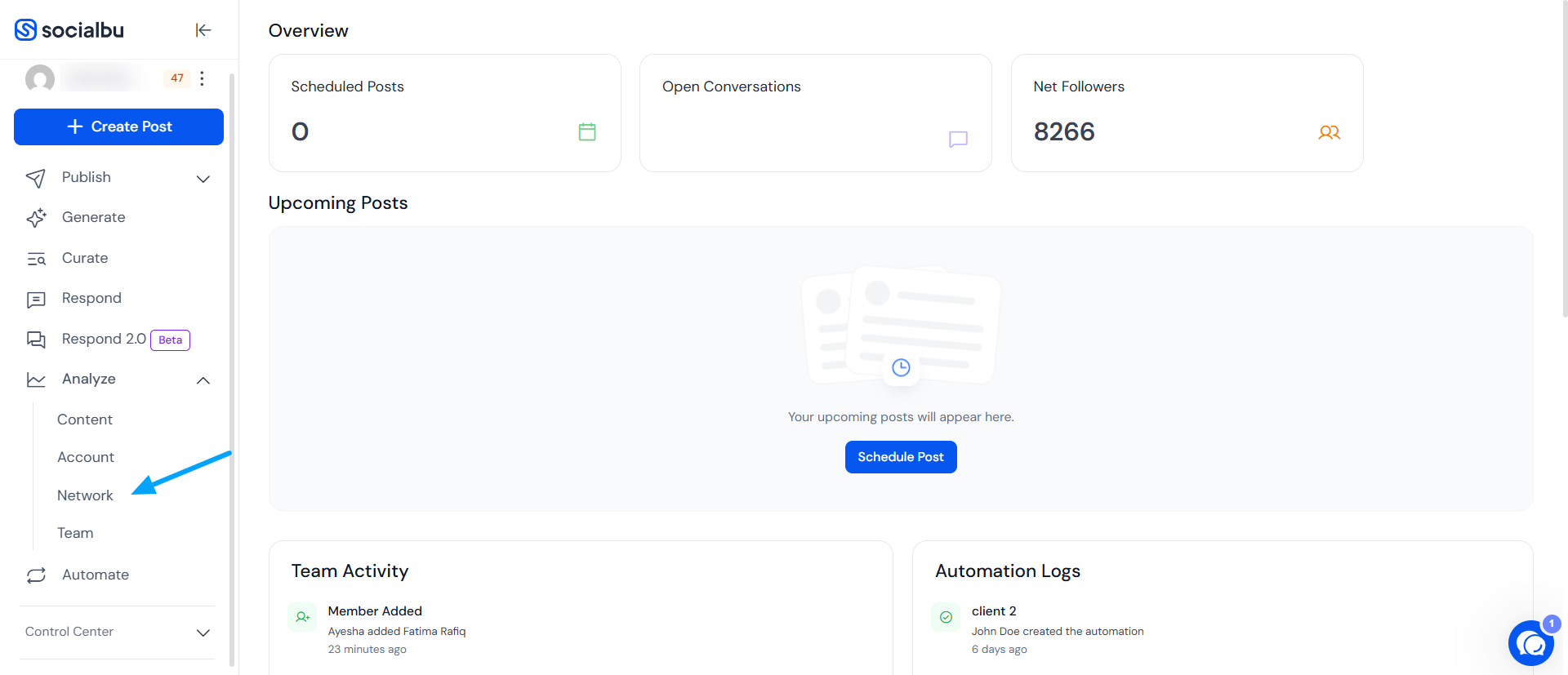
What Can You See in Network Performance Reports?
Depending on the platform (e.g., Facebook, Instagram, LinkedIn, etc.), the report may include:
Followers Growth
Engagement Metrics
Reach and Impressions
Demographics
Post Type Analysis
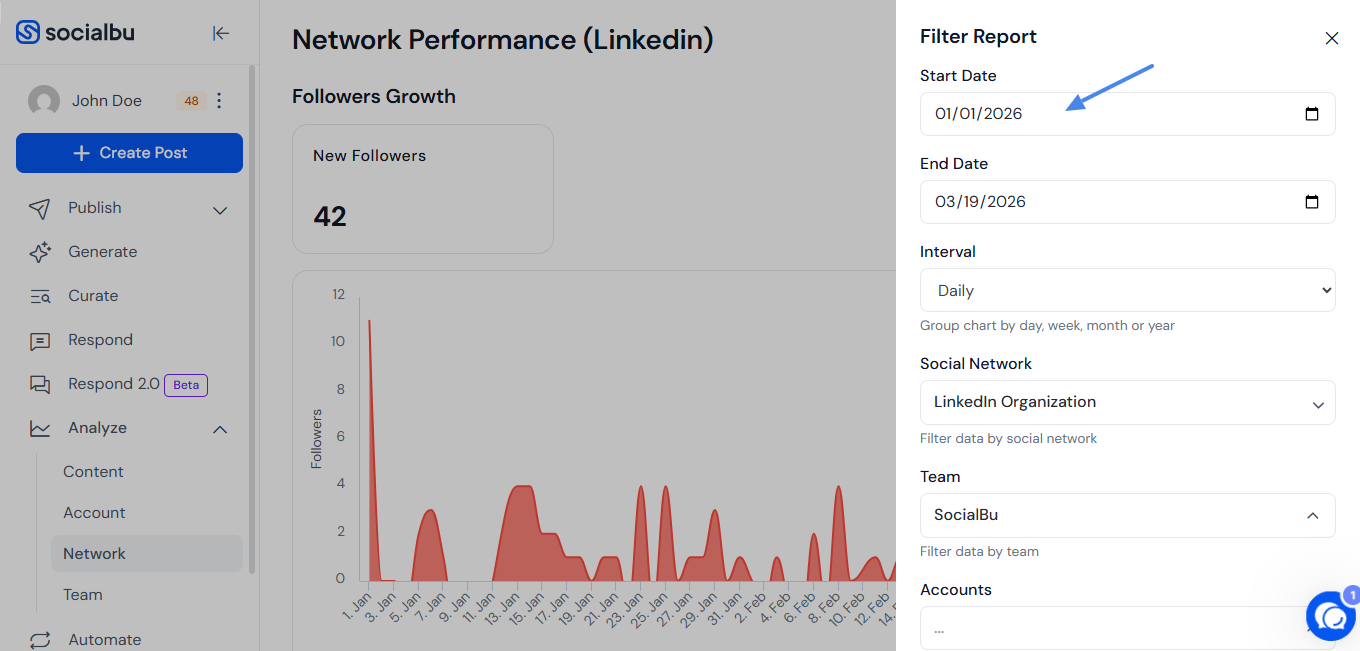
Accessing Monthly/Yearly Reports
Navigate to Filter and choose the desired time range for the network performance you want to examine.
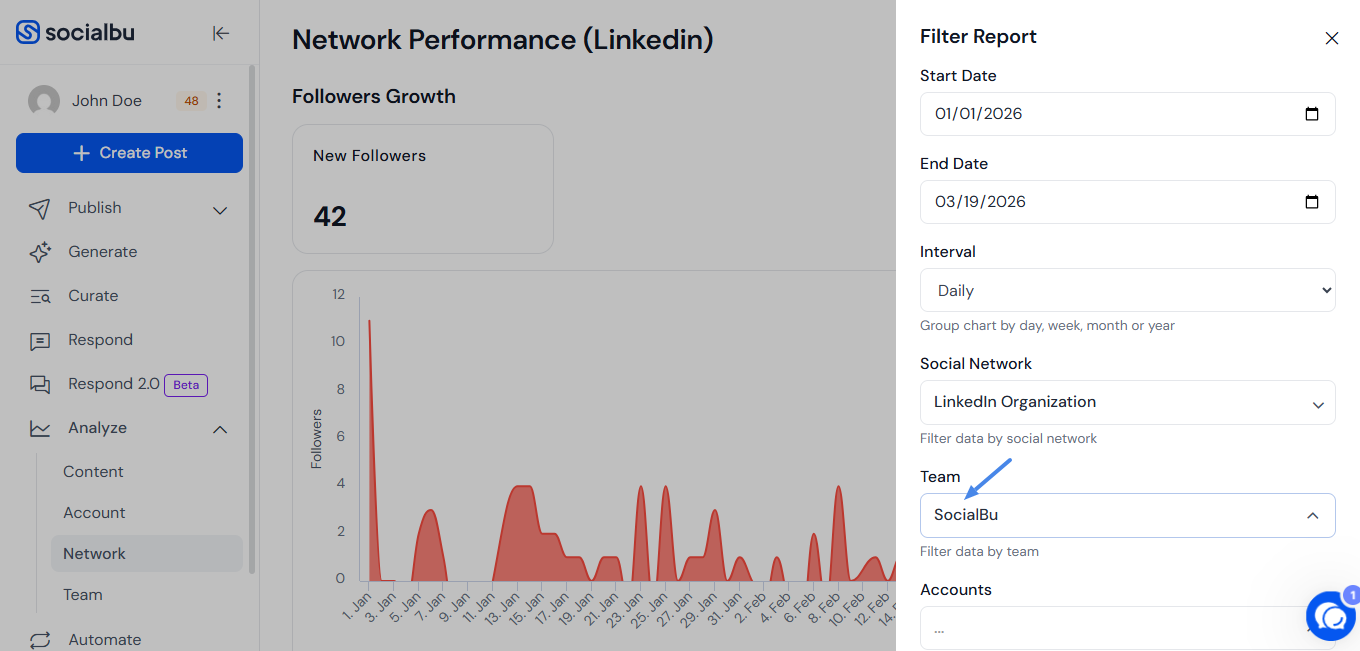
Team-specific performance
Navigate to Filter and choose the desired Social network for the network performance you want to examine.
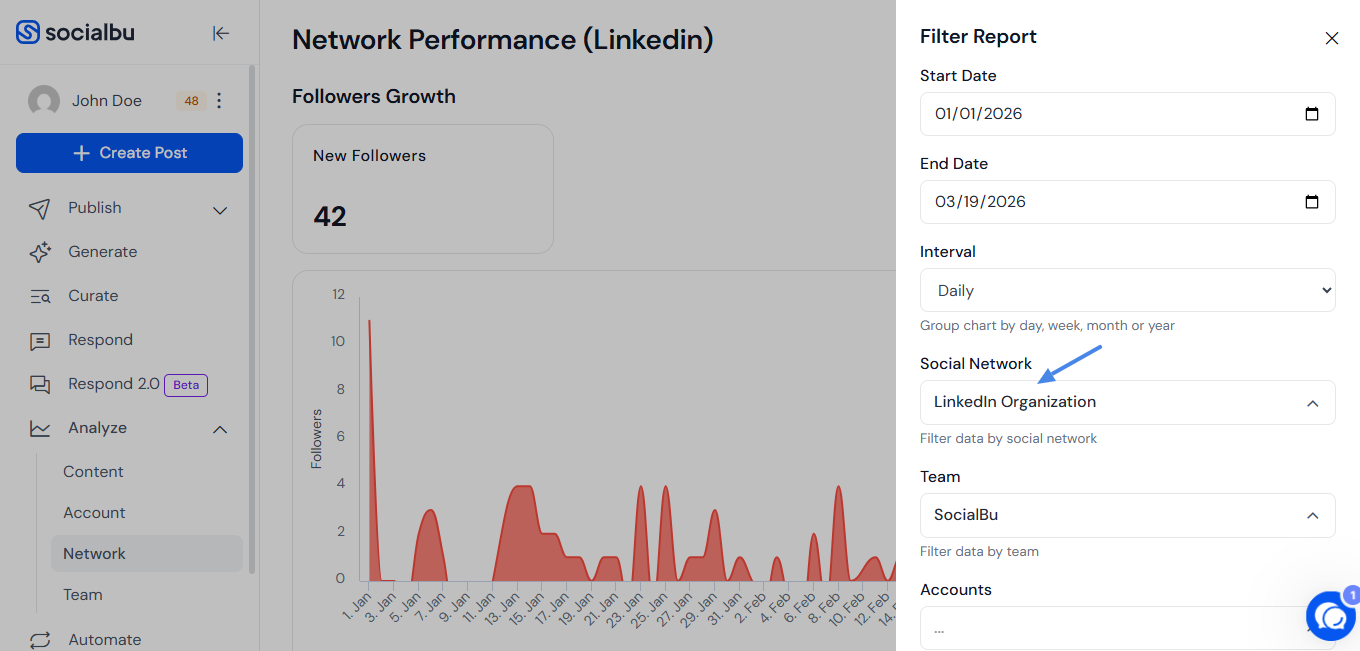
Account-specific performance
Navigate to Filter and choose the desired Social network for the network performance you want to examine.
FAQs
Can I download the network performance report?
Currently, network-specific data is viewable within the platform. You can use screenshots or third-party tools for documentation.
Can I filter by multiple accounts at once?
Yes, use the filters at the top of the Analyze section to compare different accounts or focus on one.
Is data available in both numeric and graphical formats?
Yes, most key metrics are presented in both formats to help with visualization and understanding.
Can I filter performance by specific teams?
Yes. Use the Team dropdown in the filter menu to view Network Performance for a specific team.
What if the data seems outdated or incomplete?
Ensure your social accounts are properly connected and synced.
Need Further Assistance?
If you have any other concerns or queries, email us at support@socialbu.com 📩