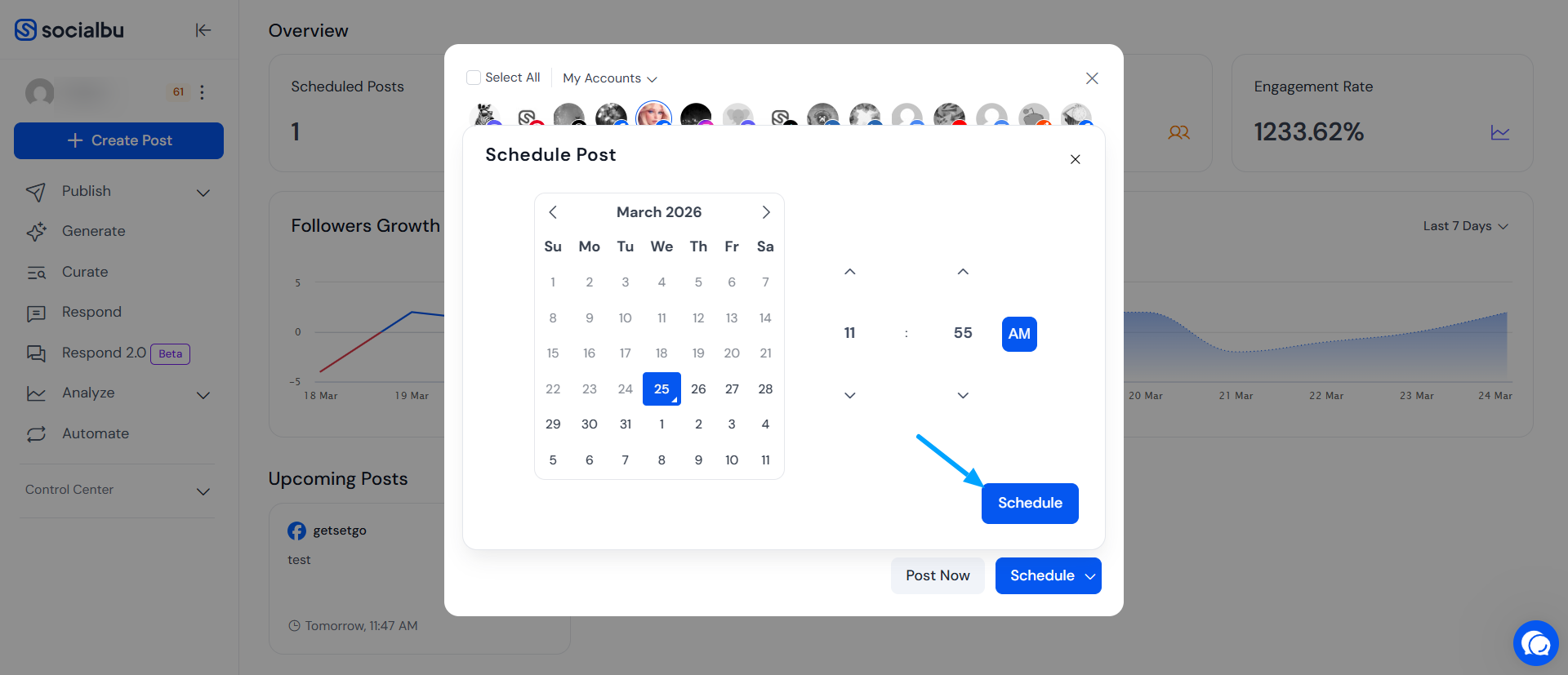
Post Immediately or Schedule for Later
Plan your content ahead of time by scheduling posts for automatic publishing at your chosen date and time, perfect for staying consistent and organized.
Written By Ghina Rehman
Last updated 2 months ago
🕒Post Immediately or Schedule for Later
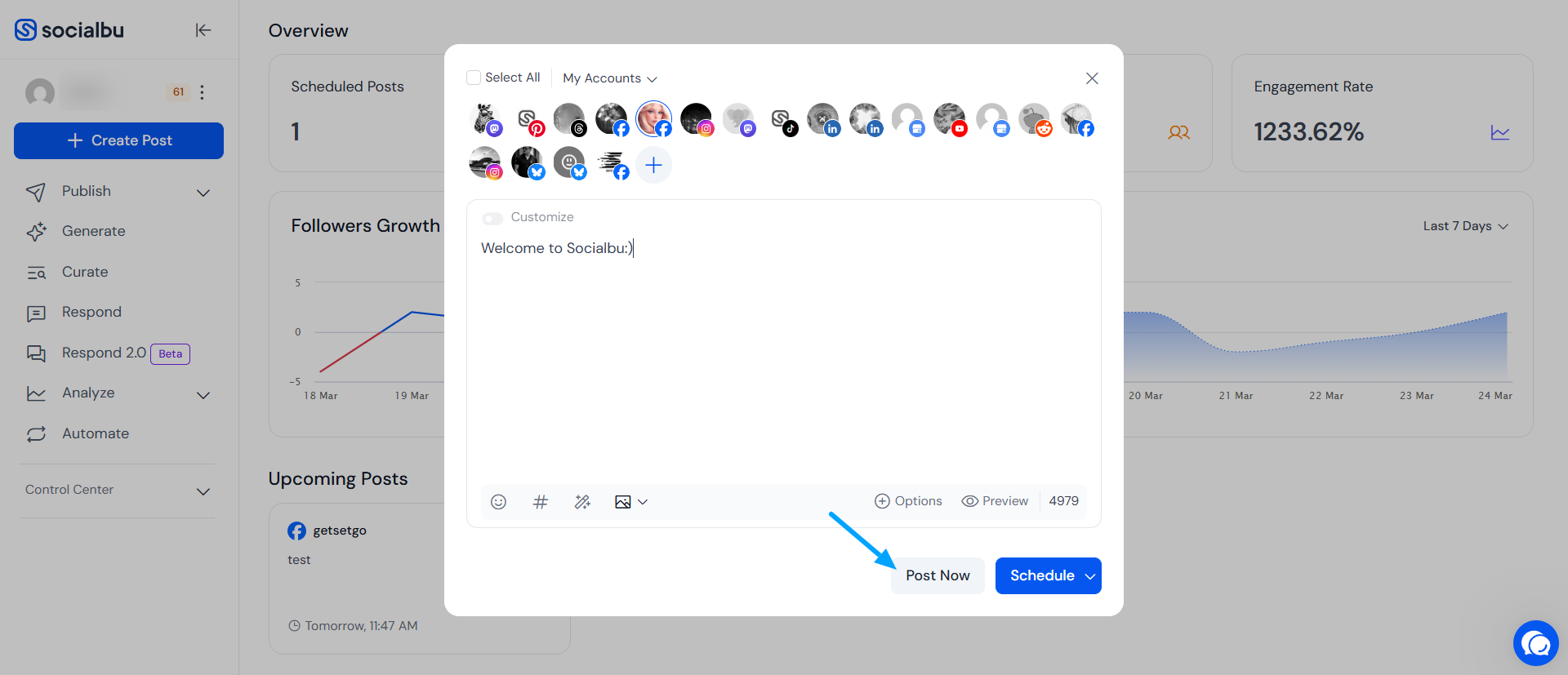
If you want your content to go live immediately, you can use the "Post Now" option. Simply click the "Post Now" button after composing your post, and it will be published instantly to your selected Facebook page(s).
If you want your post to go live at a specific date and time later on, you can use the Schedule feature. Click on the Schedule option, then select the desired date and time for publishing. This allows you to plan your content ahead, ensuring it reaches your audience at the optimal moment, even if you’re not available to post manually.